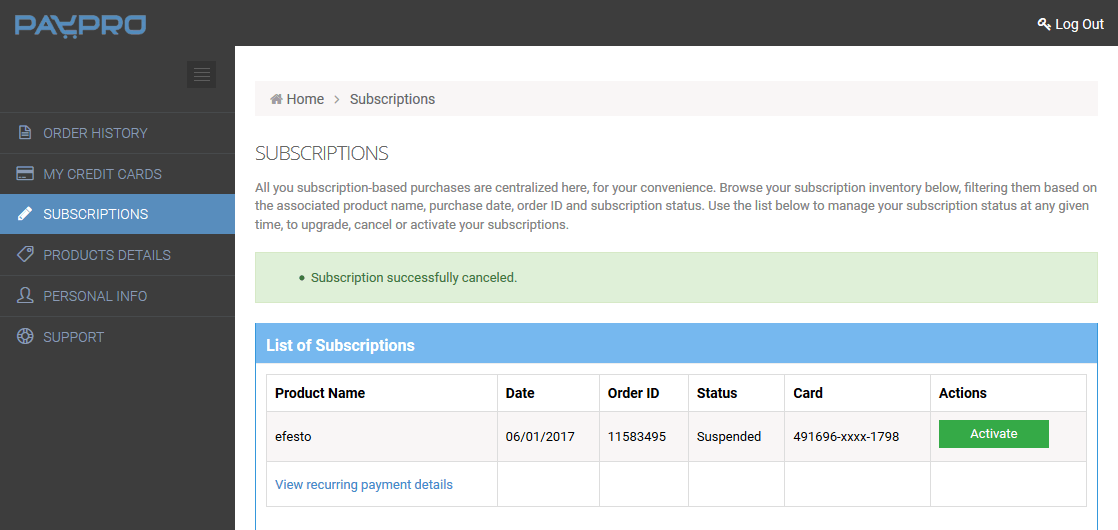
You Can Cancel Your Account Any Time
Just follow these simple steps:
1. Login Into PayPro
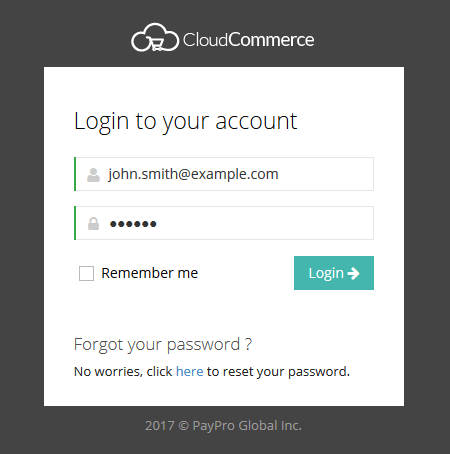
Access your PayPro account.
2. Access The Subscription Tab
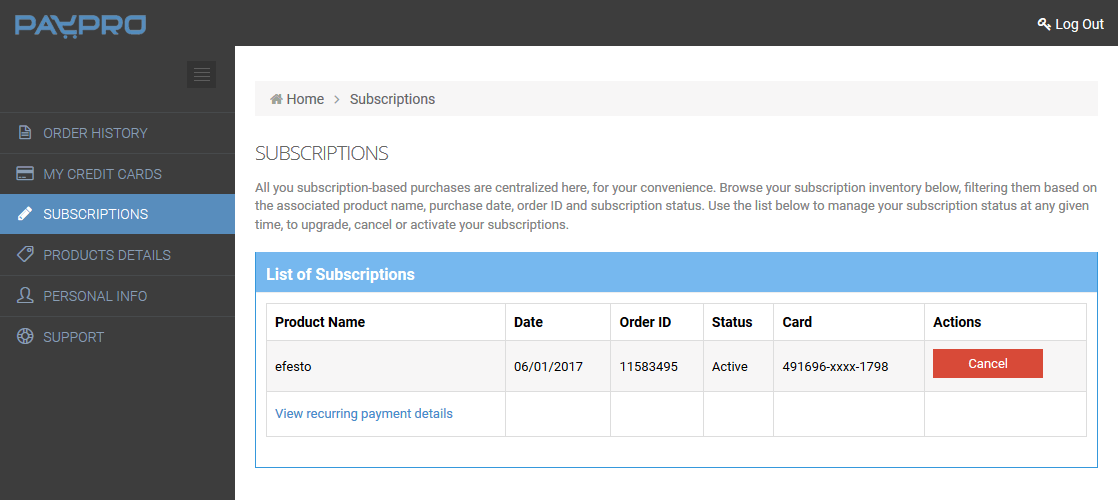
Click on the cancel button near your efesto order
3. Select a Motivation for The Cancellation
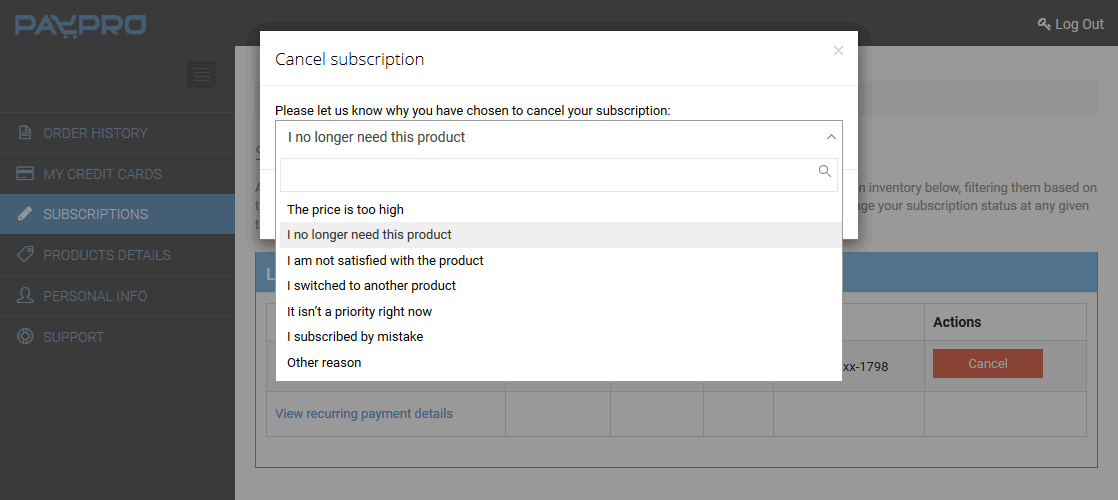
4. Confirm The Cancellation
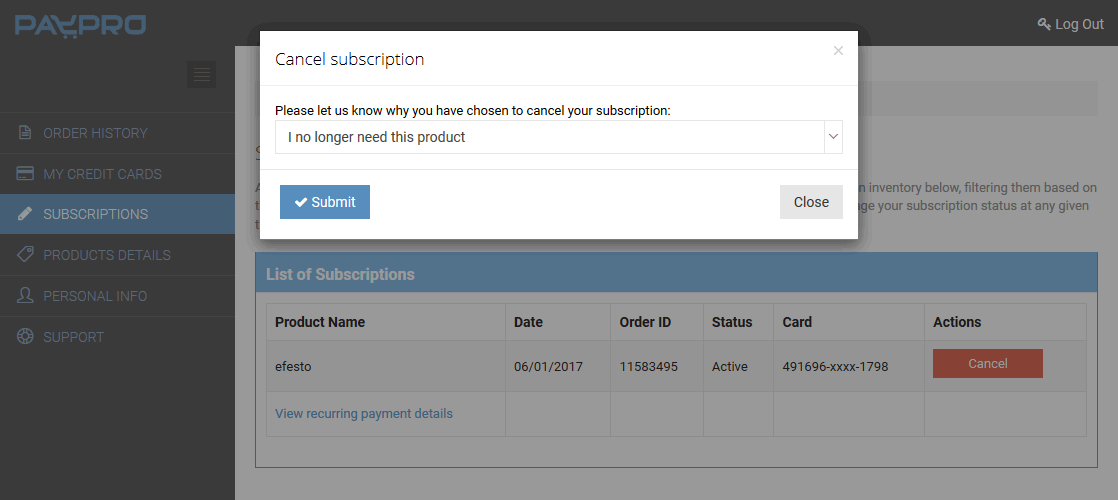
Click on the submit button
5. Cancellation Confirmed
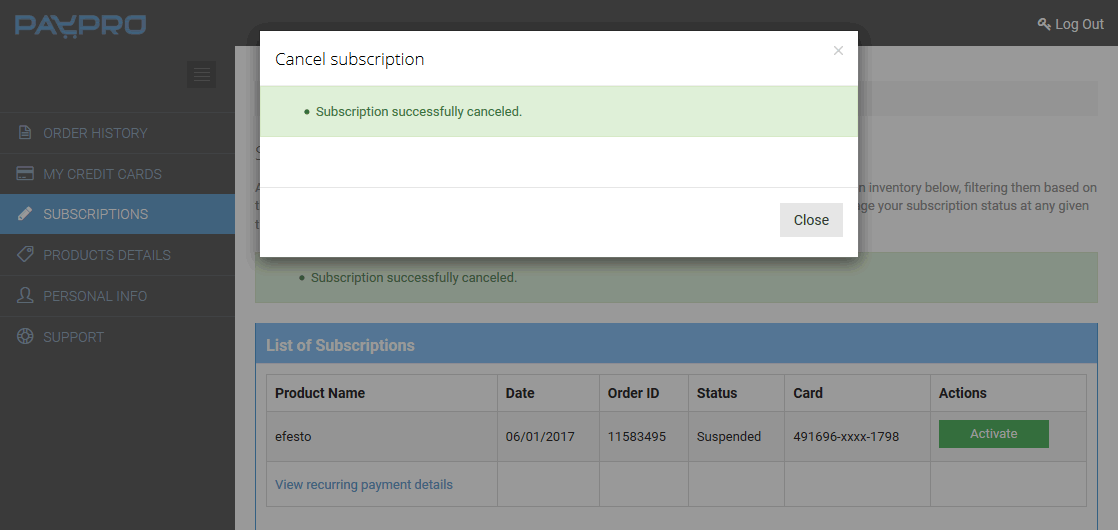
Click on the close button
6. Your Order Has Been Successfully Cancelled